









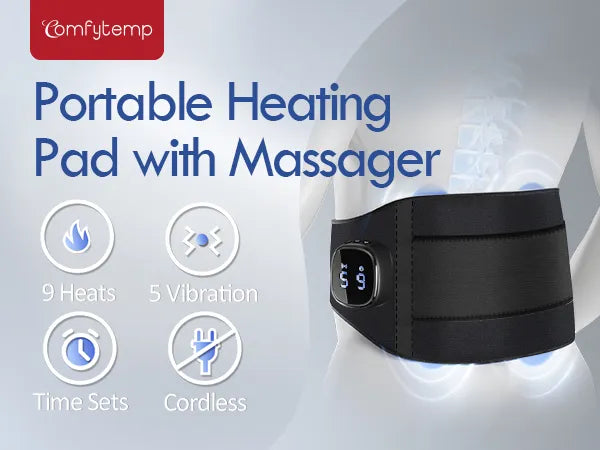
Almohadilla térmica portátil inalámbrica Comfytemp para aliviar el dolor de espalda, masajeador lumbar con calor inalámbrico, compatible con FSA y HSA, control por aplicación, 9 niveles de calor y 5 de vibración, regalo de cumpleaños para mamá









A:
The device runs out of battery. Please charge with a 5V 2A adapter for 2 hours before using again. When the LED stays green, it means it is fully charged.
A:
1. The current voltage of the battery is too low. Please make sure to charge with a 5V2A adapter for 2 hours until fully charged before use.
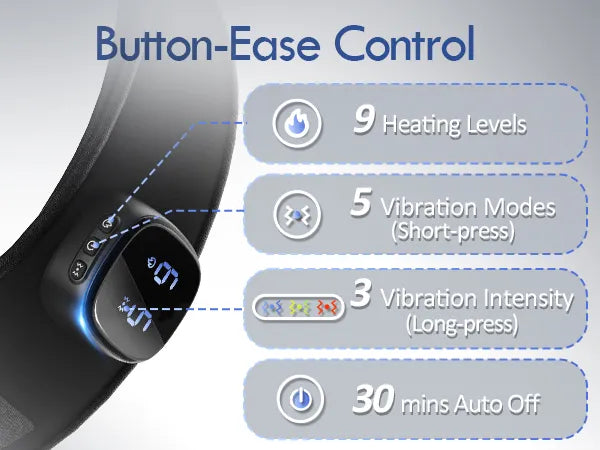
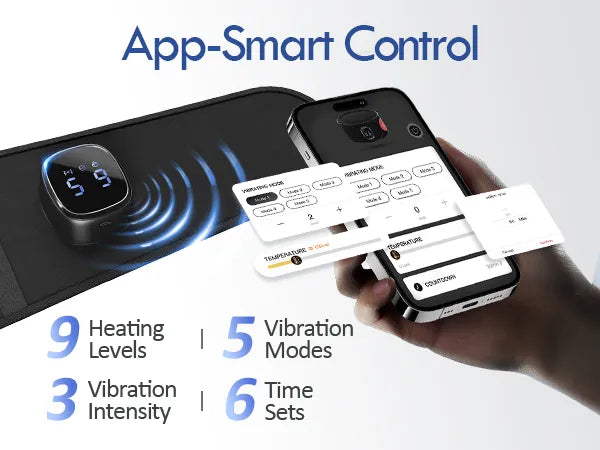
2. When BLE is not connected, the default timer is 30 minutes. If longer timer settings are needed, please use the app.
A:
1. It's recommended to use it continuously for more than 10-20 mins before judging if the temperature meets the needs.
2. Low battery levels affect temperature performance. If low battery is detected, please recharge promptly.
3. In order to prevent low temperature burns, we have limited the highest temperature.
A:
If the redness disappears quickly, there is no risk-this is caused by the locally stimulated, increased blood flow. Here are some suggestions:
·Moderate heat: Choose an appropriate heat level to avoid skin irritation.
·Use protection: Place a thin cloth between skin and heat pad for added comfort.
·Time and frequency: Limit use to 20-30 minutes per session, with breaks for skin recovery.
·Avoid during inflammation: Don't use on inflamed skin to prevent worsening symptoms.
A:
1. First, make sure your phone's BLE is turned on.
2. Follow the instructions on Section 5.3 of User Manualfor BLE connection
3. Try deleting the BLE device and setting it up again.
4. For safety, you can't use the device while charging the product.
5. To find the problem, check if your phone can connect to other BLE devices at home or try a different phone to connect to this one.
A:
For Android systems, please go to Settings - Apps & permissions-App info-Top right corner(three dots) - Show system apps-BLE-Storage - Clear data, then attempt to reconnect.
A:
1. Please check the network status.
2. If the update is successful, the device will restart on its own.
If the update fails, the device will tell the customer to restart it manually, and it will go back to the previous version. Please try again.
A:
As electronic devices are used more, their batteries wear out, leading to shorter battery life. This is normal, and users can extend battery life through regular maintenance and proper use.
A:
The product temperature is too high and has activated automatic protection.
Please lay the product flat to cool down before using it again.
A:
When fully charged, the battery stops charging.
If kept plugged in, it uses some power and starts charging again, causing the LED to switch from "solid green" (fully charged) to "flashing green" (charging), which might seem like it's not fully charging.


